Operations dashboard · Safe AI interface
StudioOps
Multi-location operations dashboard where natural language becomes a visible, validated customer query—not a chatbot with database privileges.
- Role
- Product engineer
- Stack
- Next.js 16 · Supabase · Postgres · Zod · Vercel AI SDK · Playwright
- 10,400
- customers filtered without loading the dataset
- 132k+
- seeded bookings that reconcile to capacity
- 3 roles
- enforced in application code and Postgres
- 1 schema
- shared by the URL, query, and AI proposal
01
The problem
Multi-location studios do not lack data. They lack one trustworthy place to answer the next operational question: which location is under capacity, which members are drifting away, and who is actually allowed to change what. A glossy chart does not help if the customer table folds under ten thousand rows or a viewer can retrieve financial details by changing a URL.
Adding natural language raises the stakes. It can make a dense system faster to use, but it can also hide assumptions behind a friendly answer and give probabilistic output far more authority than it earned. StudioOps was built around a narrower proposition: let the model describe a view, then make the deterministic product prove exactly what it understood.
02
Design
The interface borrows from the software people keep open all day rather than the software they admire for twelve seconds. A compact rail, 32-pixel table rows, tabular numbers, hairline borders, and restrained status color keep the operating picture legible without turning every metric into a tiny billboard.
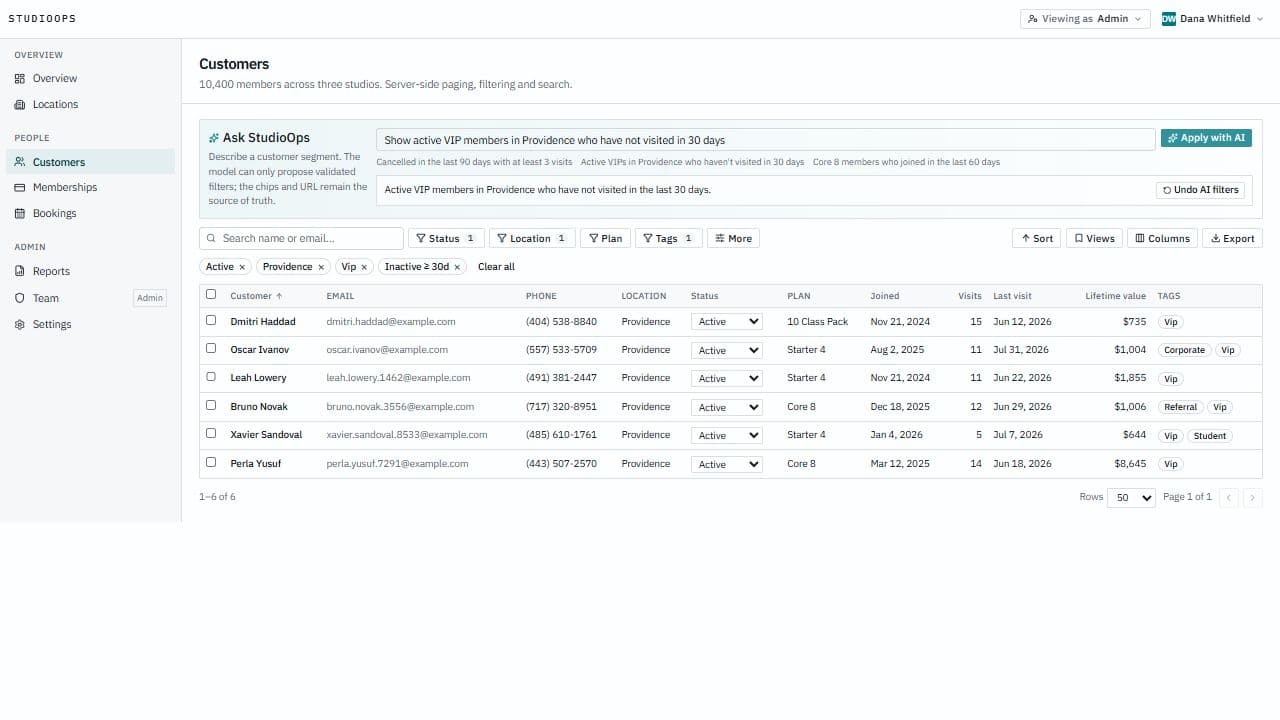
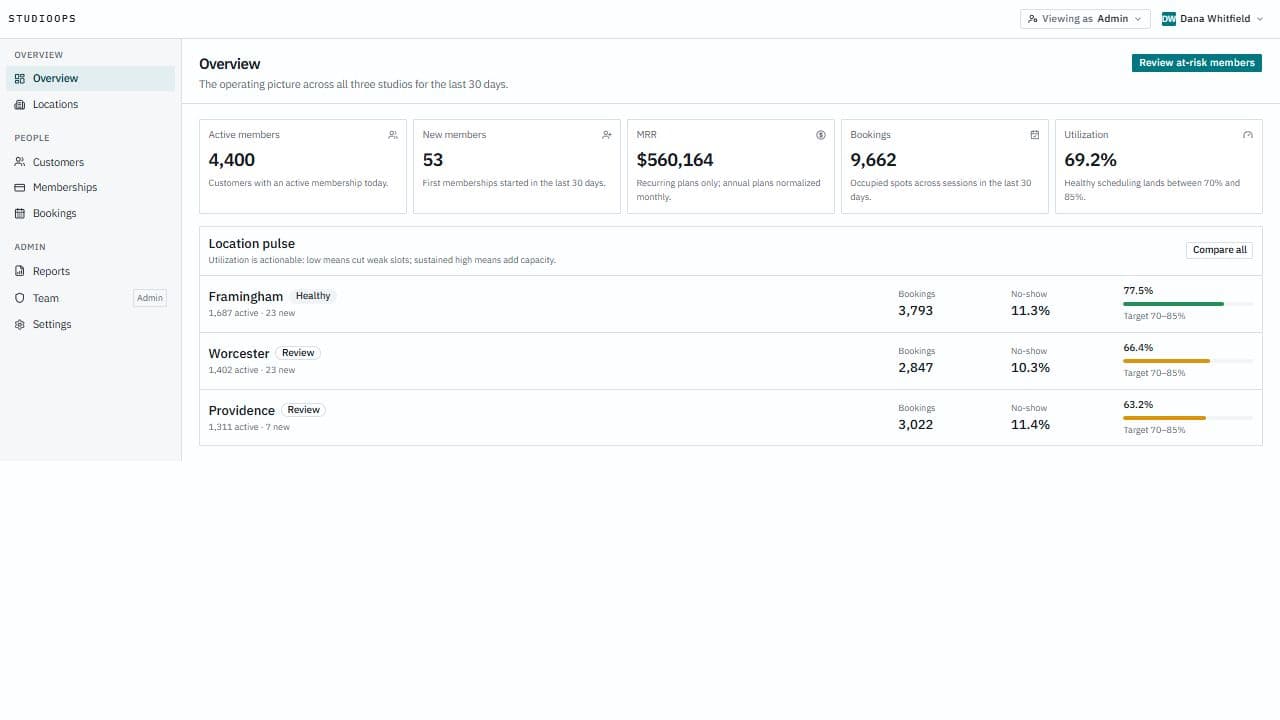
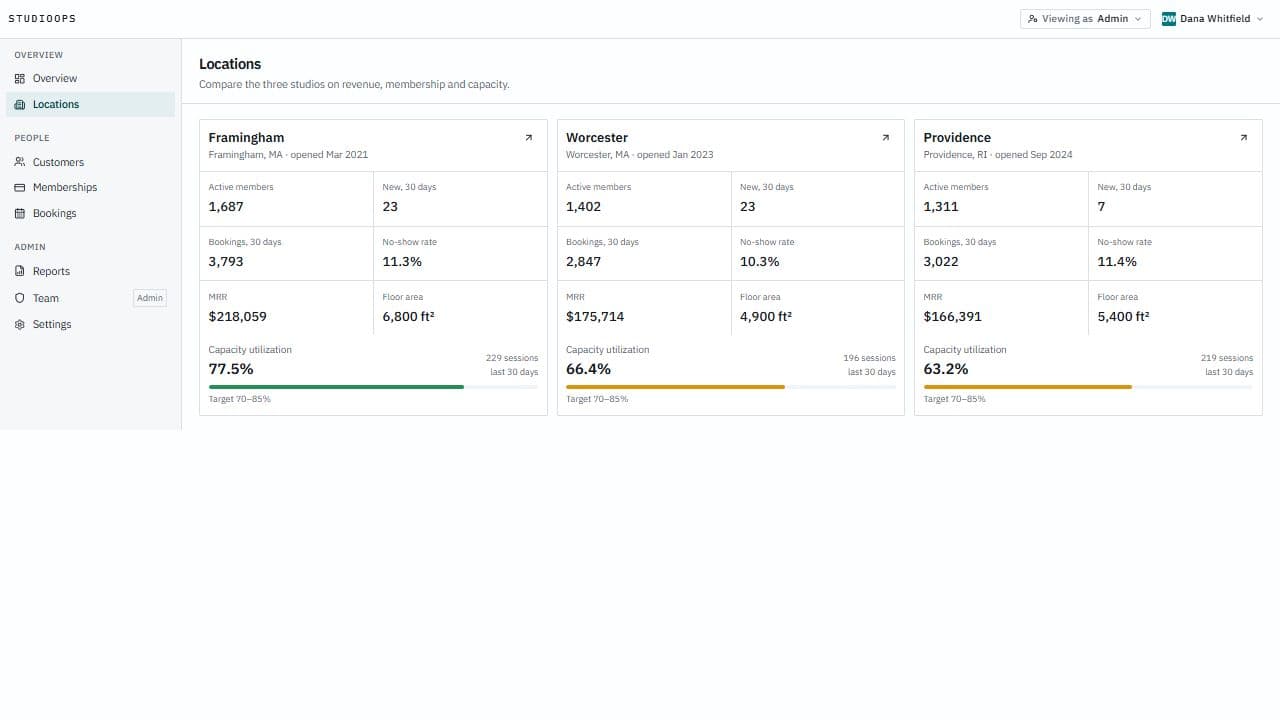
Ask StudioOps lives above the filters instead of in a floating chat window wearing an operations costume. Its interpretation appears as the same removable chips a person would create manually, ambiguous concepts stay unmapped, and undo restores the previous view. The overview and location comparison use the same vocabulary, so a capacity warning can lead directly to the members behind it.
03
Architecture
- 01Operator request
- 02Constrained filter proposal
- 03Zod and role validation
- 04URL-backed Postgres query
One Zod schema is the load-bearing contract. Search parameters are parsed through it, the customer query is built from it, and the language model must return an object that survives it. Every field is an enum or bounded value; there is no free-text predicate and no place to smuggle in SQL. When no model provider is configured, a deterministic interpreter handles the flagship requests through the same contract instead of making the feature disappear.
Server Components fetch only the requested page from a security-invoker Postgres view. Explicit role checks open every protected page, action, and route, while row-level security independently limits the underlying tables. Financial records live in a separate relation, so a viewer receives zero financial rows rather than cosmetically blank columns and a prayer.
04
Interesting decisions
- 01
Let AI propose, not execute
A useful natural-language shortcut still produces probabilistic output, and probabilistic output should not quietly acquire database privileges.
- Choice
- Accept only a constrained filter object, validate it against the user's role, and apply it through visible chips and URL state.
- Tradeoff
- The assistant cannot answer every imaginable question, but every supported answer is inspectable, correctable, and reversible.
- 02
Make the URL the view state
An operational segment is most useful when another person can reproduce it exactly and the browser's back button still means what it says.
- Choice
- Encode search, filters, sorting, pagination, and visible columns in canonical search parameters.
- Tradeoff
- Parsing and conflict handling become first-class product code, in exchange for durable links, saved views, and honest navigation.
- 03
Enforce permissions twice
Hiding a Team link or disabled Export button improves the interface but does not stop a crafted request.
- Choice
- Put explicit role checks at every server entry point and independent row-level policies under the data itself.
- Tradeoff
- The permission matrix has two layers to test, but deleting one application check does not silently turn into a data breach.
- 04
Make the demo data reconcile
A capacity dashboard becomes decorative fiction when bookings, class schedules, and the stated healthy range disagree.
- Choice
- Generate customers, sessions, memberships, and bookings from one fixed seed, then print utilization and no-show checks after every reset.
- Tradeoff
- Seeding is a small data-engineering project of its own, but screenshots, deep links, and operational conclusions remain stable across rebuilds.
05
Accessibility
- The application starts with a skip link and landmark structure, and its dense controls use native buttons, checkboxes, selects, tables, headings, and labelled fields rather than clickable divs.
- AI interpretations appear as readable filter chips and text summaries; color is never the only explanation, and undo remains keyboard-accessible after a proposal is applied.
- Focus stays visible across the shell, menus, pagination, row controls, and demo-role switcher, while mobile layouts preserve every critical action instead of replacing the table with a polite apology.
- Permission failures render as explicit forbidden states. A viewer is not left wondering whether missing financial data is loading, broken, or simply outside the role's access.
06
What I'd do differently
The most reusable result is the filter contract, not the prompt. Once the URL, database, and model all speak the same small language, the AI feature becomes another input method rather than a second product bolted onto the first.
A next pass would finish the phase-labelled membership, booking, reporting, and team workflows, then add a dedicated accessibility and visual-regression sweep. I would also instrument accepted, corrected, and undone AI proposals—the useful metric is not how often the model answers, but how often an operator keeps the answer.
Have a similar project?